




When you sign up to PayrollPanda, your account is automatically on the Free plan. You can choose to upgrade to the Pro plan at any time and you will benefit from a 1-month trial to try out all the features. You can refer to this article to find out which features are available under the Free and Pro plans.
Upgrading to the Pro plan
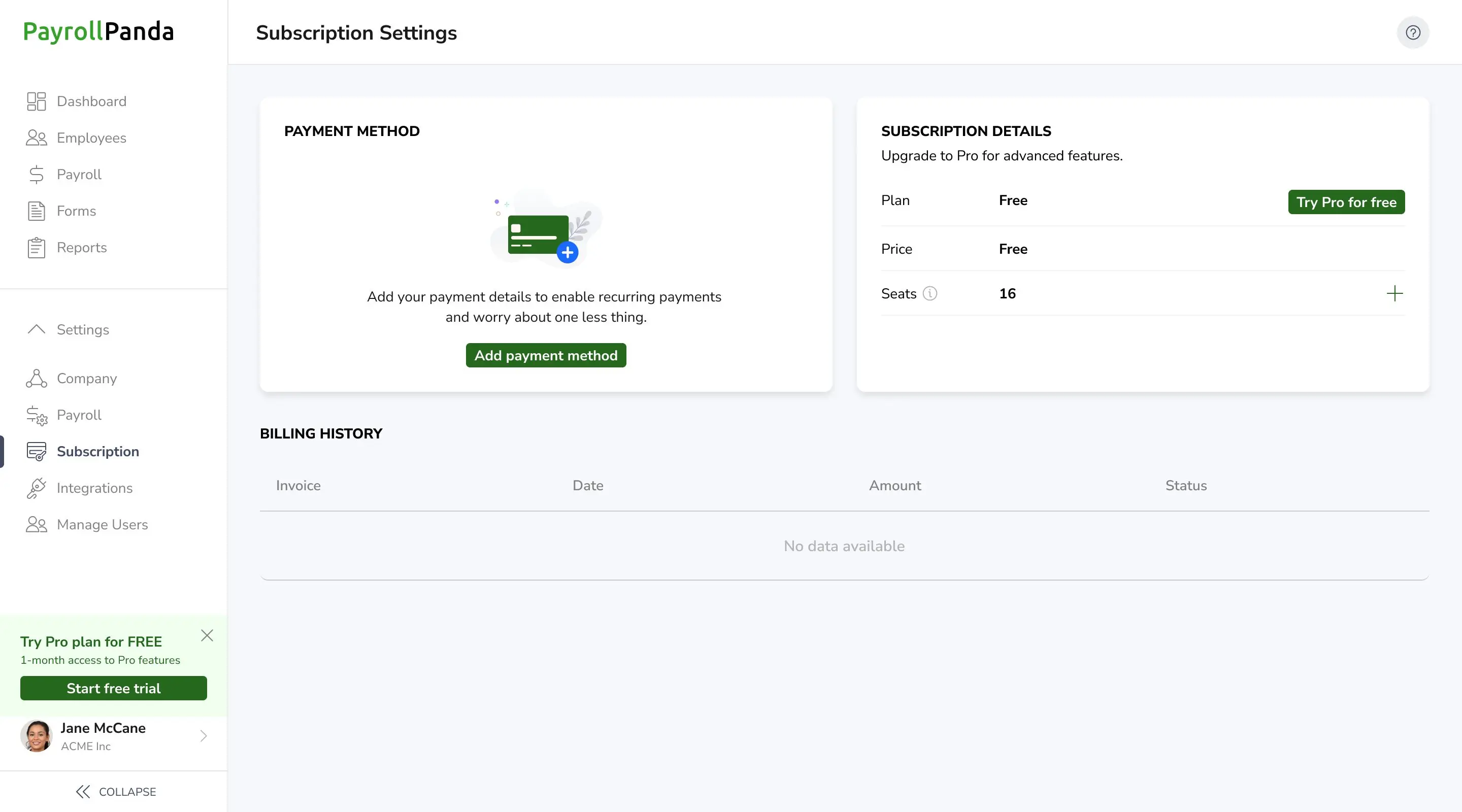
To upgrade to the Pro plan, you can click on Start free trial at the bottom left of your account, or you can go to Settings > Subscription Settings and click on Try Pro for free.
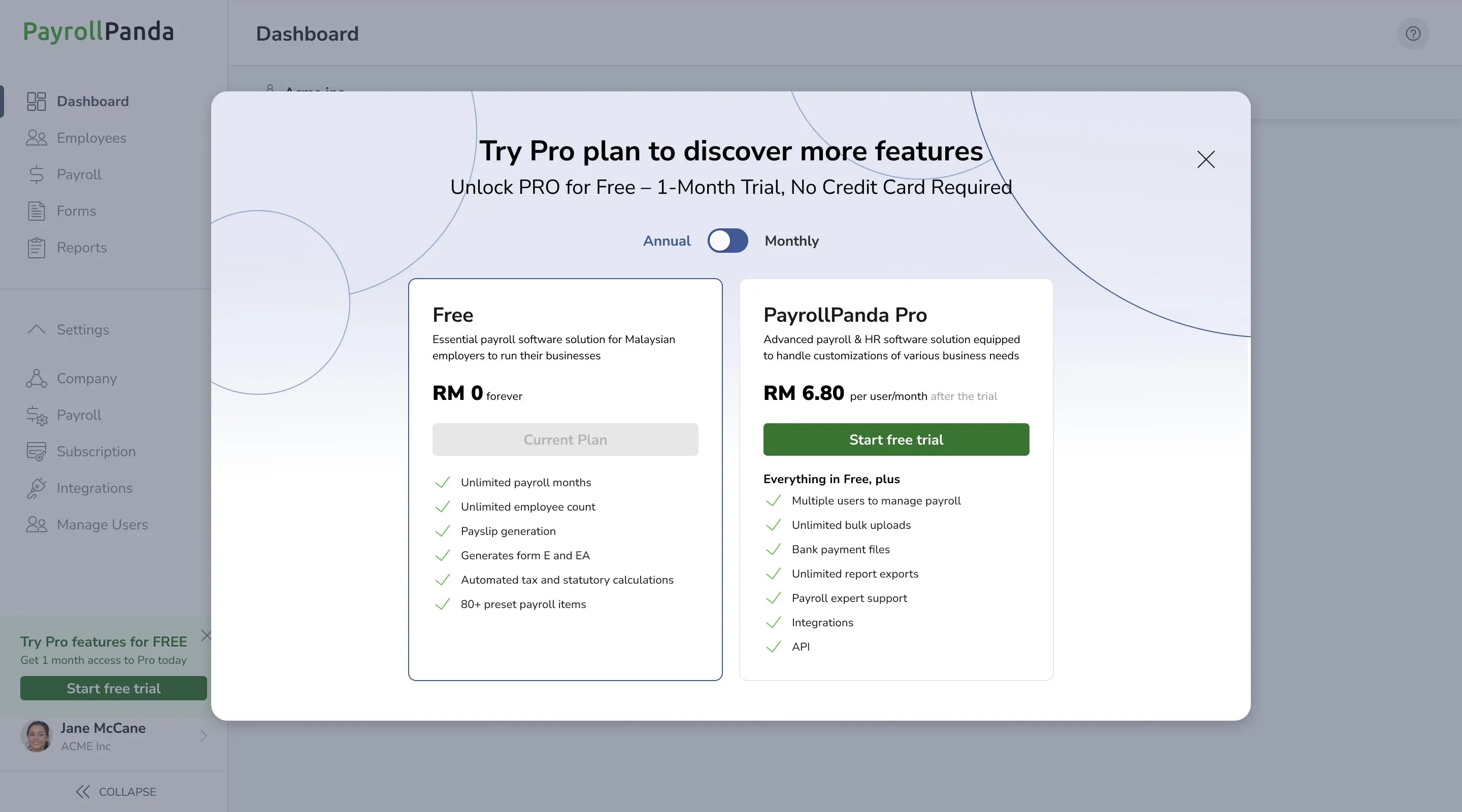
You can select either annual or monthly subscription by moving the toggle to Annual or Monthly and you can then click on Start free trial. Your 1-month trial will start at that point.
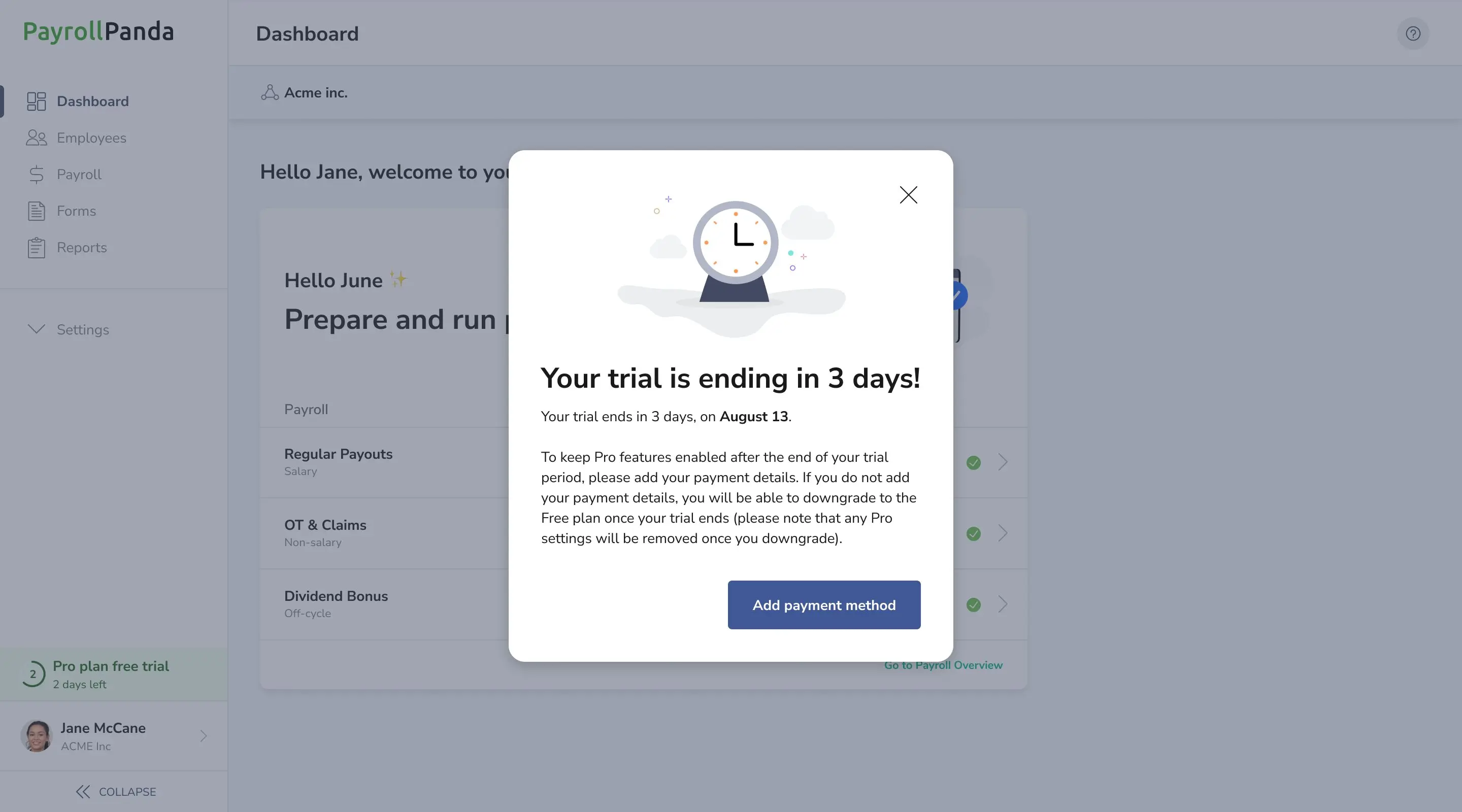
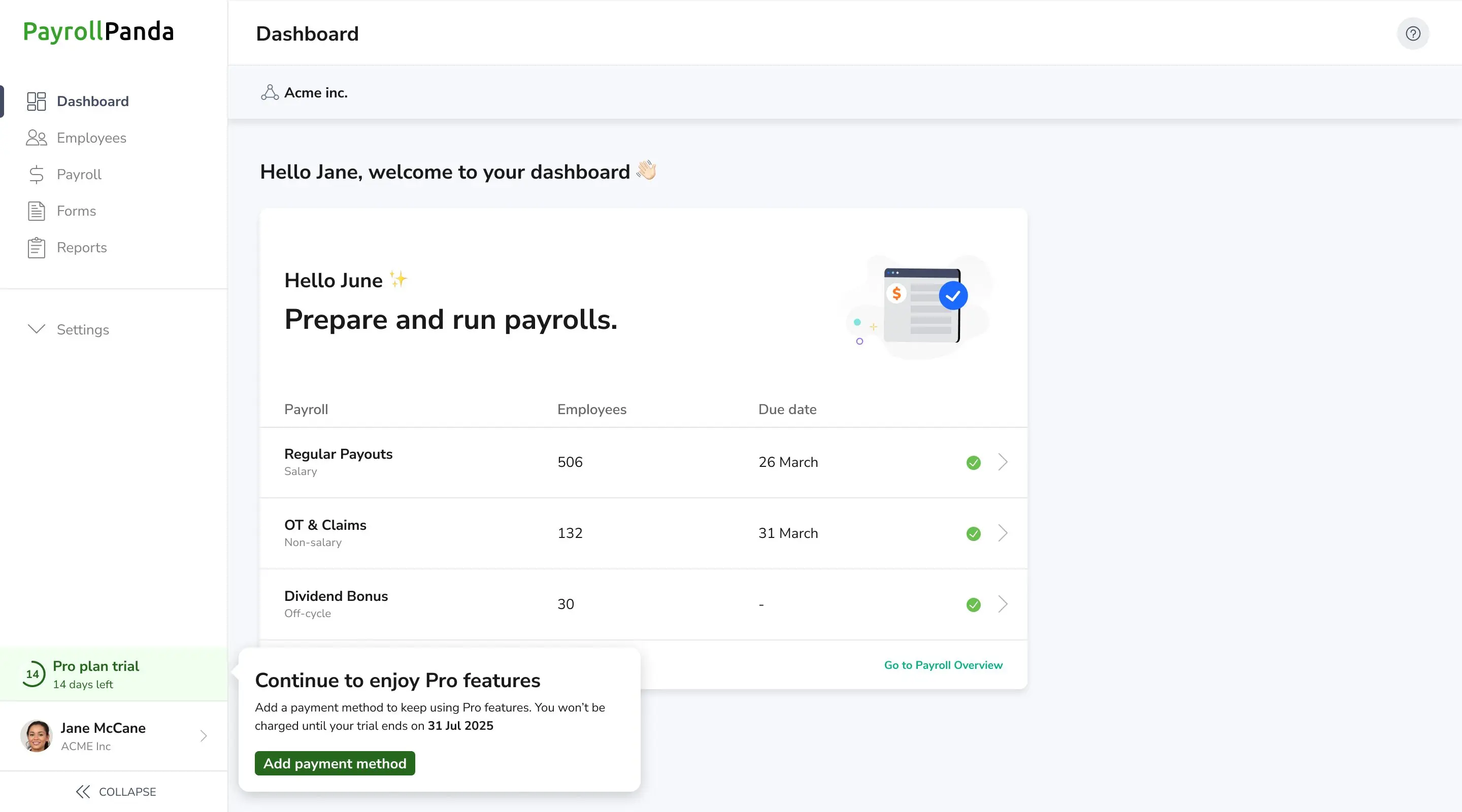
A reminder will appear 3 days before your trial period ends. You should add your credit card details by clicking on Add payment method under your Subscription Settings if you would like to continue subscribing to the Pro plan. An invoice will be generated at the end of your trial period based on the number of active employees in your account. Your credit card will be charged automatically when the invoice is issued.
Downgrading to the Free plan
You can choose to downgrade to the Free Plan at any time during your trial period by clicking on the pencil icon under Subscription details > Billing cycle and then on Change to Free Plan.

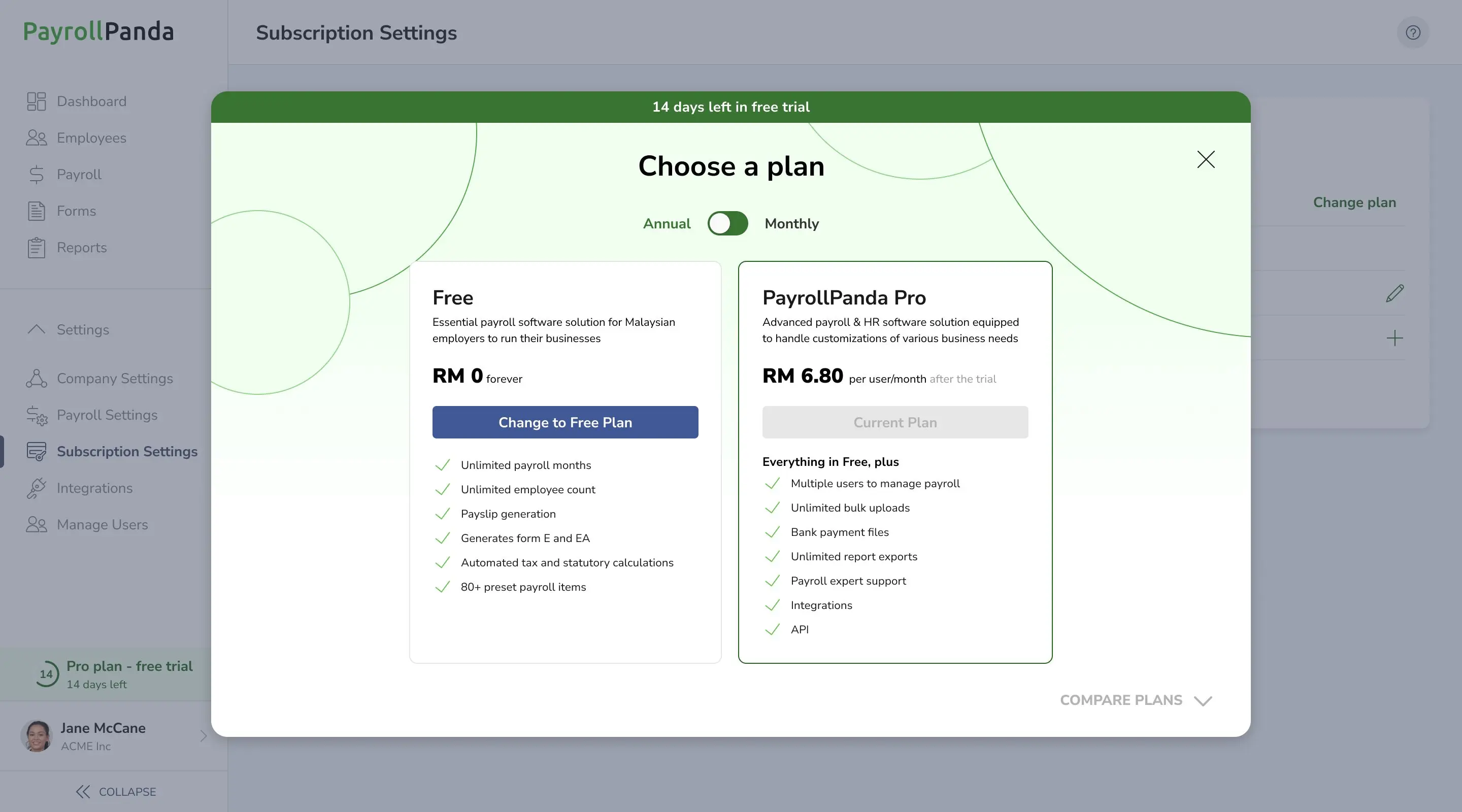
You can upgrade again to the Pro plan and continue your free trial if still within 1 month of when you first upgraded to the Pro plan.
If you downgrade, please note that all features and settings available only under the Pro Plan will automatically be removed.

You can also downgrade to the Free plan after your trial period ends if you have not added your credit card details, by clicking on Downgrade.